A phone screen is tall, a monitor is wide and a GTA poster is square. The sizes that fit each, and how to keep the poster whole.
The sizes that matter
Making a wallpaper bigger than the screen is fine; the system scales it down. Making it smaller than the screen is what causes blur. An image saved from a social post or a chat has often been shrunk on the way, which is why so many GTA wallpapers saved from the internet look soft on a modern phone.
- iPhone 15 Pro Max: 1290 by 2796 pixels.
- iPhone 16 Pro Max: 1320 by 2868 pixels.
- Smaller phones: a bigger image scales down cleanly, so one 1290 pixel wide file covers them.
- 4K monitor (UHD): 3840 by 2160 pixels.
- 1440p monitor: 2560 by 1440 pixels, exactly two thirds of 4K.
- 1080p monitor: 1920 by 1080 pixels, exactly half of 4K.
A square poster on a tall or wide screen
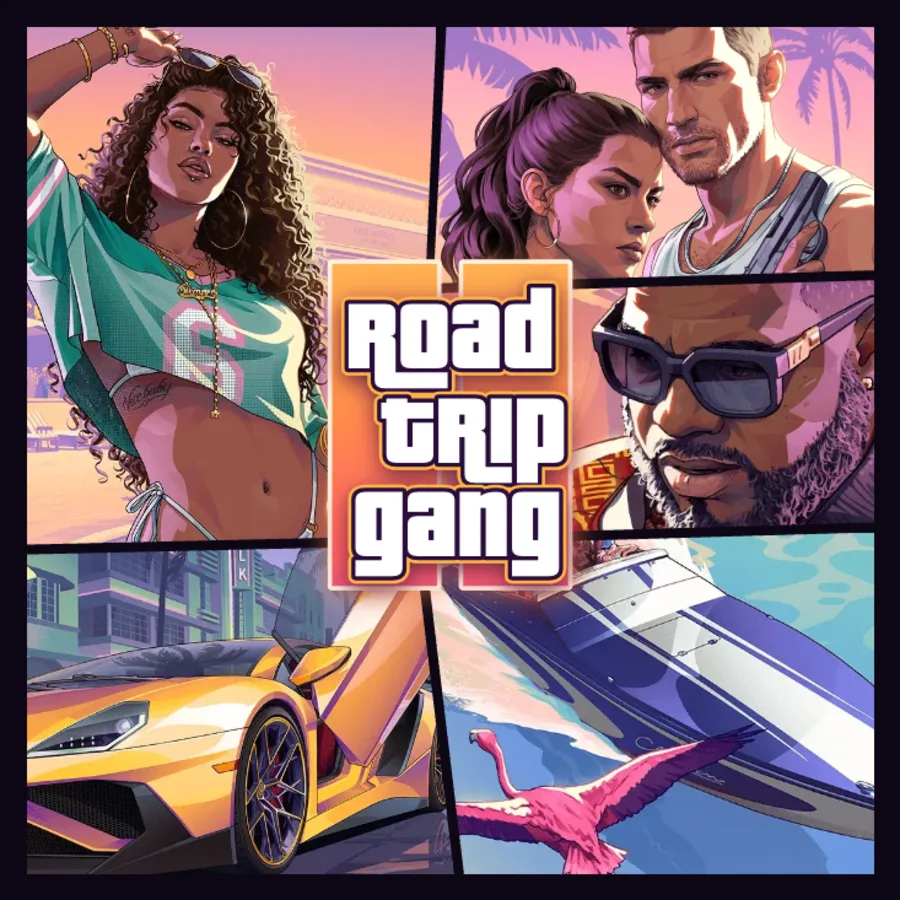
A GTA style poster is square. Stretch it to fill a phone and the logo turns into a tall smear. Crop it to fill and you lose the outer panels. The cleaner answer is to keep the square whole and fill the rest of the screen with a plain dark background.
That is what the wallpaper downloads in the maker do. The phone wallpaper is 1290 by 2796 pixels with the poster at 1290 pixels square in the middle and a dark purple to near-black gradient above and below it (753 pixels each). The desktop wallpaper is 3840 by 2160 pixels with the poster at 2160 pixels square in the centre and 840 pixel bands of the same gradient either side.
Phones: mind the clock and the widgets
On a lock screen the clock sits at the top and notifications or widgets at the bottom. With the poster in the middle band, both land on the plain background, so the faces and the logo stay clear and the clock stays readable.
On an iPhone 16 Pro Max the 1290 pixel wallpaper is scaled up by about 2 percent, which you will not see. On Android phones it is scaled down. If your phone offers a zoom or motion effect when you set the wallpaper, turn it off, otherwise the edges of the poster can get cropped.
Desktops: choose fit, not fill
The 3840 by 2160 file matches the 16:9 shape of most desktop monitors, so any fit setting works on them. Many laptops have slightly taller 16:10 screens; there, Fill trims a little off the dark bands at the sides and leaves the poster whole. On an ultrawide monitor (21:9 or wider), Fill scales the image to the width and cuts off the top and bottom of the poster. Choose Fit or Centre instead and set the desktop background colour to black or a dark purple so the edges blend in.
On two monitors, set the wallpaper on each screen separately rather than spanning it, or the poster splits down the middle.
Which layout and template suit a wallpaper
- Quad and Feature have fewer, bigger panels, which still read at phone size.
- Nine-panel layouts look best on a desktop, where the poster is 2160 pixels tall.
- Vice City (cyan and magenta) and GTA VI (sunset) match the dark background of the wallpaper downloads.
- Los Santos gold looks good on a desktop next to dark app windows.
Make your wallpaper
The GTA 6 wallpaper maker on this site is fan-made and free. Your photos stay in your browser.
- Open the wallpaper maker and add your photos in the Photos tab.
- Pick a layout in the Layout tab and a template or your own words in the Text tab.
- Press Download and choose Phone wallpaper (1290 by 2796, JPG) or Desktop wallpaper (3840 by 2160, JPG).
- For a square wallpaper you place yourself, choose HD (2160 pixels) or Print (4096 pixels) instead.
- Set it from your phone's wallpaper settings or your computer's desktop background settings.
FAQ
What size is a GTA 6 phone wallpaper?
The maker exports 1290 by 2796 pixels, the resolution of the iPhone 15 Pro Max. It scales cleanly to other phones.
What size is a 4K GTA 6 desktop wallpaper?
3840 by 2160 pixels. The same file scales down exactly to 2560 by 1440 and 1920 by 1080 monitors.
Why does my wallpaper look cropped on an ultrawide monitor?
The fill setting scales a 16:9 image to the width of a wider screen and cuts the top and bottom. Switch to Fit or Centre.